



I’ve been a console gamer all my life. While I’ve dabbled with PC gaming here and there, the affordability and ease of use of my TV-based systems make them more appealing to me.
Having said that, we’re in a time where the lines between console and PC are blurring. For one, Xbox has been bringing every one of its games to PC day and date for nearly a decade now, and even PlayStation has embraced the platform over the past few years with staggered ports a little while after they launch on console. And more recently, Valve started a trend of handheld gaming PCs with its Steam Deck, and the likes of Asus and Lenovo have since followed suit.
All of that is to say that we’re in an increasingly platform-agnostic era where games and experiences are made available in many different places, thus democratizing the PC space. For that reason, I’ve been much more interested in PCs in recent months, and so I jumped at the chance at the end of August to check out a high-end unit from Asus: the ROG Zephyrus G14.
Now, I’ll have to get one big thing out of the way: this boy is pricey. There are four Zephyrus G14 options that start at $2,699 and end at $3,699, the last of which is the one I’m using. Naturally, that’s expensive, especially compared to a console. (Even if they’re getting more and more expensive over time.)
But I also find the price much more palatable compared to, say, Asus and Microsoft’s ROG Xbox Ally X, which I’ve also been using. At $1,300, that’s basically half the starting price of the Zephyrus G14, and it’s a gaming-only device (although with some effort, you can use it as a PC if you want). But considering the Zephyrus G14 is a fully functioning laptop, it can obviously be used for many other things besides gaming, like work and video streaming services. Or even outside of other gaming devices, people are so quick to drop around $1,500 minimum on a MacBook, so paying an extra grand (or more) for a powerful gaming PC isn’t bad at all. For someone like me, whose job is almost entirely done through a laptop, the Zephyrus G14 would be a worthwhile investment for several reasons.
Good things come in small packages
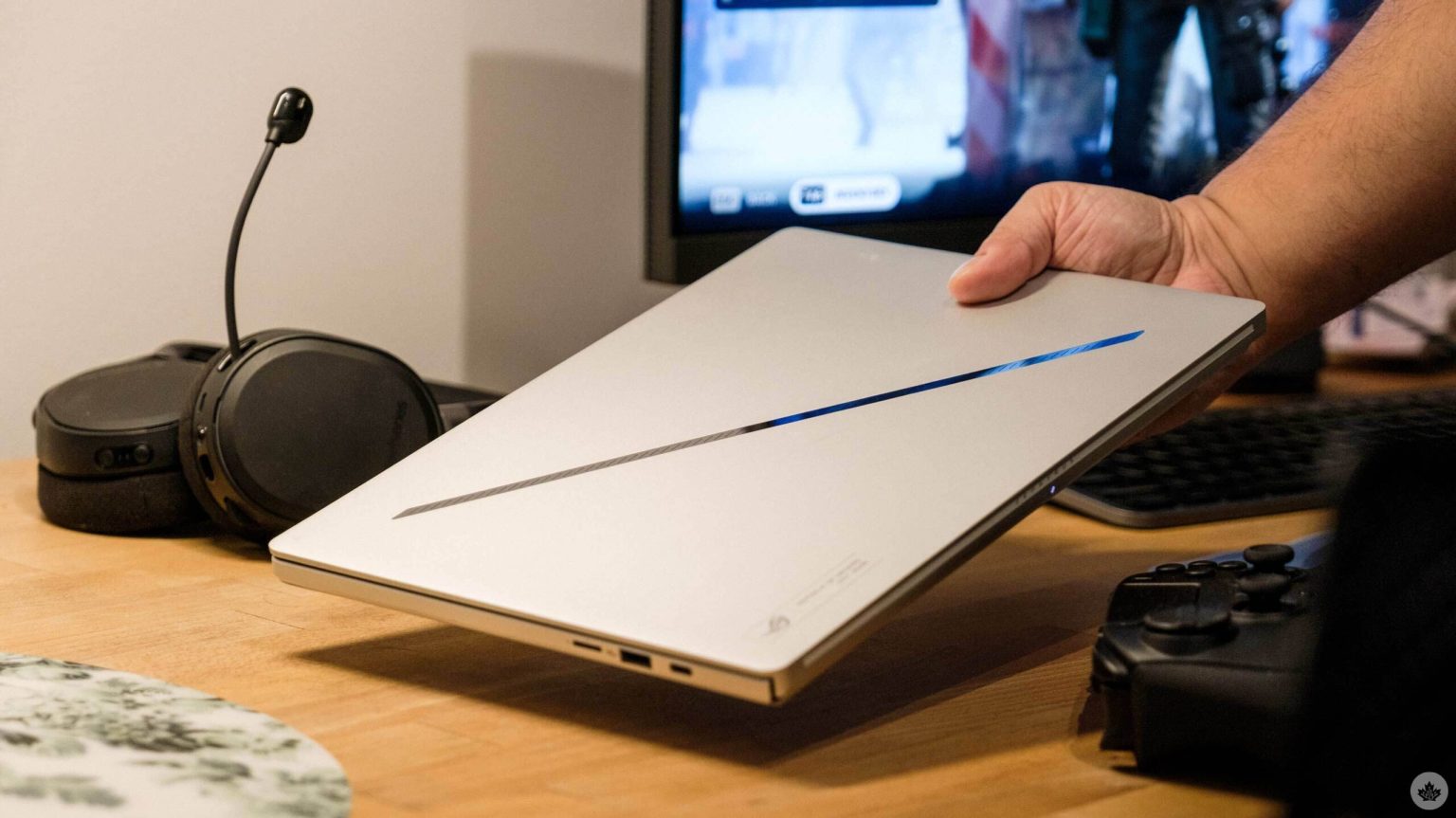
Perhaps my favourite thing about it, honestly, is its size. The 14-inch laptop sports an ultra-slim 0.64” chassis weighing only 3.46 lbs (1.57kg), which is hardly more than the 2.8 lbs (1.29 kg) MacBook Air M1 (2020) I use. Considering it’s a much newer laptop with all of the beefy gaming components, it’s honestly mind-blowing how compact Asus has made it.
Because really, the Zephryus G14 is a beast. Specs-wise, it boasts an Nvidia GeForce RTX 5080 Laptop GPU, 32GB of RAM, AMD Ryzen AI 9 HX 370 processor, 3K OLED screen and 1TB of storage. I’ll admit that I’m not the most tech-savvy person, so none of that means a great deal to me, but I know that the RTX 5080 is obviously a high-end graphics card. I’ve also heard a lot about the constant battle to get premium cards, which is another reason why it’s nice to just have that in the Zephryus G14 right from the get-go.
And to be honest, that feeds into my next big positive: the prebuilt rig. (But first, a quick preamble.) Admittedly, I’ve come into PC gaming with some preconceptions, especially since some members of the community can be toxic elitists. In particular, I made some things out to be more complicated than they probably should be, like the idea building a PC. Now, I have some friends who liken doing this to building Ikea furniture or a Lego set, which I’ve always said is a laughably silly comparison. No technical knowledge is necessary to assemble them (even your tech-illiterate parent can do this), these products are significantly cheaper on the whole and they’re not vulnerable to all kinds of issues once you’ve put them together.
But I will own up to completely disregarding how many options the PC space gives you, especially when it comes to prebuilt rigs. Case in point, the ROG Zephyrus G14. I didn’t have to do any sort of assembly, naturally; it was ready to go right out of the box. (Minus any downloading times, of course — I wasn’t quite prepared for how many times I’d need to update drivers.)
Software options that actually help
On top of that, I appreciated how it’s made the process of sifting through the many configurations smoother for me as someone who’s used to the comparatively limited options on console. (Generally, these are just a choice between a resolution-focused “Quality” mode or “Performance” mode to prioritize frame rate.) Indeed, I didn’t consider that PC manufacturers might have their own tools to help manage the litany of PC settings. First off, there’s MyAsus, which gives higher-level looks at system updates, hardware diagnostics and other useful everyday settings.
And for gaming, specifically, there’s Armoury Crate, the all-in-one software hub for managing ROG devices. While I’ve seen some people rag on the latter, I honestly never had a problem. Maybe it’s because I don’t have extensive experience with high-end gaming PCs, but it did exactly what I needed it to. With four optimized settings for Windows, Silent, Performance and Turbo, as well as a Manual option for further customization, I loved how this made it easier for me as I jumped between different activities.
In particular, I’ve been testing a lot of 2025 games since MobileSyrup is once again on the voting jury for The Game Awards. Naturally, then, I’m jumping between higher-end AAA titles like Battlefield 6, Arc Raiders, Doom: The Dark Ages and Mafia: The Old Country to indie darlings like And Roger, Canadian-made Ambrosia Sky, and Consume Me. (That last one, an autobiographical coming-of-age genre-bender, is easily one of the most inventive games I’ve played all year. Can’t recommend it enough.)
And honestly, the experience across all these games has been remarkable. For the most part, they’re optimized out of the gate at “high” settings and look and run great, and I have the option to push things farther for even more fidelity. Battlefield 6, admittedly, looked a bit rough at first for whatever reason, so I had to mess around with the settings for a while. It did briefly make me yearn for the simplicity of just booting up a console game and having it look solid from the jump, but it was pretty much an isolated incident with Battlefield 6.
Battlefield 6. (Image credit: EA)
On the flip side, I liked how something like Fortnite ran at what appeared to be ultra settings from the jump and gave me the option to download additional assets to further bolster performance. But even without those, it was wicked smooth, allowing me to fully enjoy the surprisingly fantastic Simpsons crossover with my friend. I think my background as a console gamer actually benefits in that sense. To me, the difference between 60fps and 120fps (or higher) isn’t that noticeable unless you’re playing something as fast-paced as a twitch shooter. Therefore, I’m always happy to settle for a “lower” frame rate as opposed to unlocked or 120-plus fps. That is, after all, the nice thing about the modularity of PC.
And because I’m coming into the world of PCs a bit later, I’m able to have the option to use all my existing Xbox and PlayStation controllers. At this point in my life, I don’t think I’ll ever get used to a mouse and keyboard for a shooter, no matter how much better it would be, so it’s great to be able to just plug in my customized PlayStation 5’s DualSense Edge. On the flip side, something like Anno 117: Pax Romana — a slower-paced citybuilder — is perfect on the mouse. While Ubisoft has commendably streamlined controls for consoles, it’s of course still much more natural on PC.
And finally, because I used to own a Steam Deck and now use the Xbox Ally X, I can carry my Xbox and Steam libraries between handheld and the Zephyrus G14. Prior to starting The Game Awards jurying process and getting access to many of the games on PC, this flexibility made it easier for someone like me with a huge catalogue on console to make the transition between platforms. And, of course, Xbox Game Pass gives you access to a lot of high-end games to test out. While the service is arguably too expensive now for the average gamer, someone who’s buying the Zephyrus G14 already has more cash and can splurge on Game Pass. (Just like other ROG devices, the laptop also comes with three months of service’s Ultimate tier, which now costs $33.99/month on its own.)
Minor gripes
Customization is especially important here because the 73Wh battery can drain really fast in the more intensive games. Admittedly, it took some getting used to remembering to do things like going to Armoury Crate to disable Nvidia GPU when not using it, but that’s of course on me versus the hardware.
That’s not the only thing that’s more of a “me problem.” The one pro I’ll give my MacBook over the Zephyrus G14 is that I prefer the more metallic feeling of its chassis’ palm rests. The Zephyrus G14’s, by comparison, feels more awkwardly chalk-y to me. It’s not unbearably uncomfortable or anything, but it’s a bit grittier than I’d like, and it has me considering some sort of soft mouse pad-esque palm pad for it. (That said, this is only an issue if I’m typing a lot on it.)
What is on the hardware, though, is the insanely loud fans. I’ve heard this complaint with previous Zephyrus models, and it’s still true here. I guess that’s the trade-off for beefier specs and a slimmer chassis, but it’s nonetheless annoying. While fiddling with the settings can ameliorate this somewhat, it’s still pretty noisy unless you’re playing a less demanding game.
I should also note that the laptop is “Copilot+ PC Certified,” meaning it has access to Microsoft’s most advanced models for its Copilot AI companion. There’s even a dedicated button for it. That’s all fine and dandy for those who like such features, but I’ve honestly never cared to ask an AI to do anything for me. That feeling even extends to the gaming space, where Xbox has been testing Copilot to respond to inquiries and even provide tips on specific sections of games. Beyond not trusting AI to get things right, I’d still just rather do the research myself by reading or watching one of the many handy walkthroughs on websites like IGN or YouTube videos. (Support good work!)
Final thoughts
I’ve loved using the Zephyrus G14 so far over the past few months. While it’s undeniably expensive, the robust specs ensure that it will be a worthwhile investment, even for lifelong console gamers like me, thanks to its wide assortment of tools to help ease you in. All the while, Asus has managed to offer a gloriously tight form factor that makes it wonderfully easy to bring the Zephyrus G14 around, as long as you can tolerate often annoyingly loud fans. It’s an all-around great package that’s gotten me more interested in the PC gaming space, and I’m excited to keep using it even more. “For those who dare,” indeed!
You can buy the Asus ROG Zephyrus G14 (2025) from the Asus Store.
MobileSyrup may earn a commission from purchases made via our links, which helps fund the journalism we provide free on our website. These links do not influence our editorial content. Support us here.